


AI
PLATFORMS
SOLUTIONS
VIDEO & PHOTO

Tilda Publishing
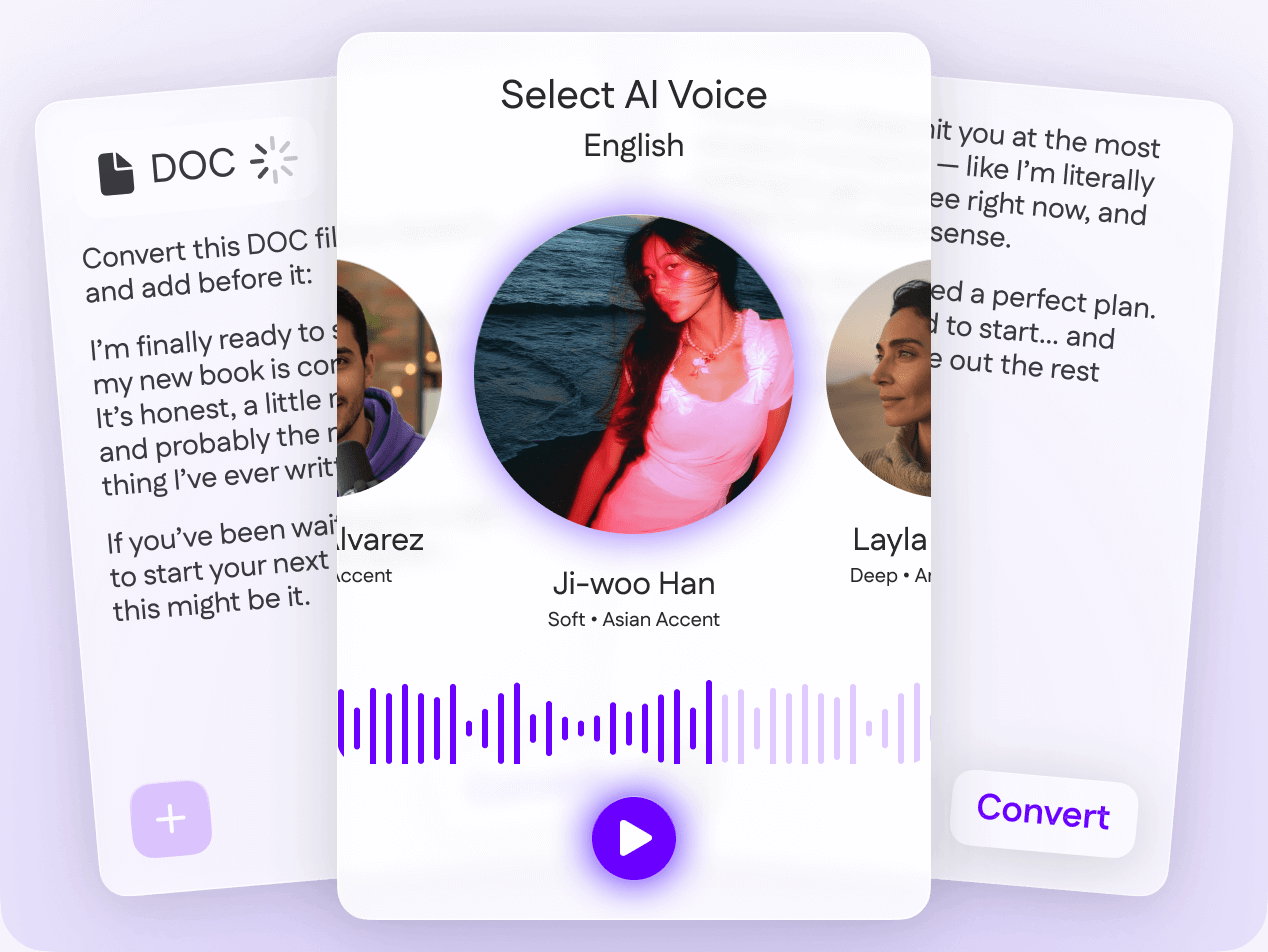
Convert text into natural, human-sounding speech in seconds. Simply paste your text, pick a voice, and generate natural-sounding speech instantly for free.
INSTORIES
Text to Speech Online

How It Works
Step 3:
Convert text to speech and download your audio in MP3 or WAV format.
Step 2:
Choose a male or female AI voice with the appropriate accent, style, and language.
Step 1:
Paste or upload your text (script, article, document).


Effortless Scalability
Perfect for creators, agencies, and businesses producing content at volume.
MP3 or WAV Export
Perfect for Reels, videos, podcasts, ads, and commercial use.

Instant Text-to-Speech Generation
Simply paste your text to create ready-to-use voiceovers in seconds.

Multiple Voice Styles
Male and female voices, various age groups, speaking speeds, and delivery styles.

Human-Like Speech
Natural intonation, emotion, rhythm, and pauses – just like a real voice actor.

Features
Crystal-clear sound without a studio, microphone, or extra editing.
Background Noise-Free
Use Cases
Read text aloud to support visually impaired users and improve digital accessibility.
Accessibility & Assistive Tec

Create clear narration, instructions, and educational voiceovers for students and employees.
E-Learning & Training

Instantly transform articles, blogs, and full-length books into polished audio formats.
Podcasts & Audiobooks

Add professional voiceovers to YouTube videos, social media content, tutorials, reviews, and more.
Content Creators & Video Makers

Why Choose Our AI Voice Tool
Start right away from your browser – no downloads, no installs, no setup.
Works in Your Browser
Generate clean, professional audio that is ready for any project or commercial use.
High Quality & Commercial-Friendly
Enjoy lifelike, human-quality voices that never feel robotic.
Natural-Sounding Voices
Get instant access to high-quality voice generation with a free trial.
Free to Start
Instantly turn any text into audio – no recording or equipment required.
Instant Conversion


Why Creators Love Our Text-to-Speech Tool

FAQ
Text-to-speech is a tool that generates realistic, human-sounding audio from written text. With just a few clicks, you can convert text into speech online using any voice you prefer.
With Instories, you can convert text to speech for free during your trial.
After signing into your account, you can browse dozens of male and female voices available in English, French, German, and 10+ other languages.
Once your voiceover has been generated, you can download the audio file in MP3 or WAV format and use it commercially as permitted by the Instories terms of service.
Instories runs fully online and there is no software to install. You can handle your entire workflow directly in your browser.
Every Instories voice is crafted to sound as natural and human as possible. Pick from a wide selection of realistic voices that work perfectly with any text you provide.
Download your completed voiceover as an MP3 or WAV file and use it seamlessly across various video editors and online platforms.
You can use the voiceovers created with Instories on YouTube, TikTok, Instagram, and other platforms, including podcast platforms.
Right now, you can select from a range of high-quality preset voices. Our voice-cloning feature is in development and coming soon.
You can preview every Instories voice before choosing, making it easy to select the one that sounds perfect for your text. Just listen through the options and pick the ideal match.
Instories works great with text of any size, whether it's a short snippet or a full-length narrative.
The best free text-to-speech converter is the one that meets your needs. Instories is designed for creators of all kinds and beyond. Try to create a voice by text online free trial and see why it’s the best choice.
FAQ
Text-to-speech is a tool that generates realistic, human-sounding audio from written text. With just a few clicks, you can convert text into speech online using any voice you prefer.
With Instories, you can convert text to speech for free during your trial.
After signing into your account, you can browse dozens of male and female voices available in English, French, German, and 10+ other languages.
Once your voiceover has been generated, you can download the audio file in MP3 or WAV format and use it commercially as permitted by the Instories terms of service.
Instories runs fully online and there is no software to install. You can handle your entire workflow directly in your browser.
Every Instories voice is crafted to sound as natural and human as possible. Pick from a wide selection of realistic voices that work perfectly with any text you provide.
Download your completed voiceover as an MP3 or WAV file and use it seamlessly across various video editors and online platforms.
You can use the voiceovers created with Instories on YouTube, TikTok, Instagram, and other platforms, including podcast platforms.
Right now, you can select from a range of high-quality preset voices. Our voice-cloning feature is in development and coming soon.
You can preview every Instories voice before choosing, making it easy to select the one that sounds perfect for your text. Just listen through the options and pick the ideal match.
Instories works great with text of any size, whether it's a short snippet or a full-length narrative.
The best free text-to-speech converter is the one that meets your needs. Instories is designed for creators of all kinds and beyond. Try to create a voice by text online free trial and see why it’s the best choice.
FAQ
Text-to-speech is a tool that generates realistic, human-sounding audio from written text. With just a few clicks, you can convert text into speech online using any voice you prefer.
With Instories, you can convert text to speech for free during your trial.
After signing into your account, you can browse dozens of male and female voices available in English, French, German, and 10+ other languages.
Once your voiceover has been generated, you can download the audio file in MP3 or WAV format and use it commercially as permitted by the Instories terms of service.
Instories runs fully online and there is no software to install. You can handle your entire workflow directly in your browser.
Every Instories voice is crafted to sound as natural and human as possible. Pick from a wide selection of realistic voices that work perfectly with any text you provide.
Download your completed voiceover as an MP3 or WAV file and use it seamlessly across various video editors and online platforms.
You can use the voiceovers created with Instories on YouTube, TikTok, Instagram, and other platforms, including podcast platforms.
Right now, you can select from a range of high-quality preset voices. Our voice-cloning feature is in development and coming soon.
You can preview every Instories voice before choosing, making it easy to select the one that sounds perfect for your text. Just listen through the options and pick the ideal match.
Instories works great with text of any size, whether it's a short snippet or a full-length narrative.
The best free text-to-speech converter is the one that meets your needs. Instories is designed for creators of all kinds and beyond. Try to create a voice by text online free trial and see why it’s the best choice.
Start Converting Text to Speech Now
Paste your text, pick a voice, download the audio, and enhance your content.
